







Upgrading from SwitchList Generator (all versions) to Activity Generator
(which includes SwitchList Generator Classic).
Follow the instructions below to install.
- You MUST already have some version of SwitchList Generator installed
to apply this update!
- DO NOT PROCEED if you don't have your original password for
SwitchList Generator. Instead, please e-mail your PayPal receipt to
Update
Password Needed.
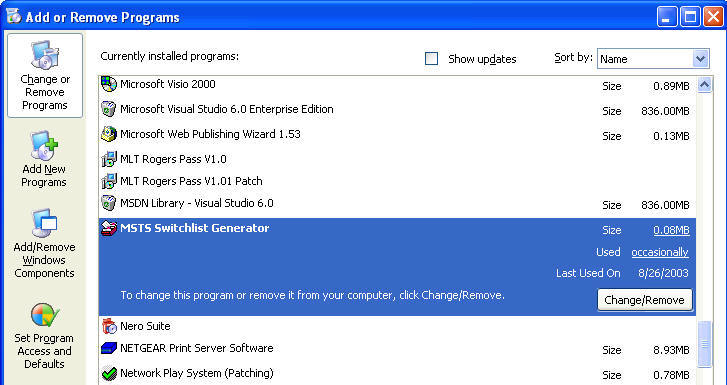
- Click "Start" then "Control Panel" then "Add/Remove
Programs". Click on the listing for "MSTS SwitchList
Generator", and then click "Change/Remove" as shown here:
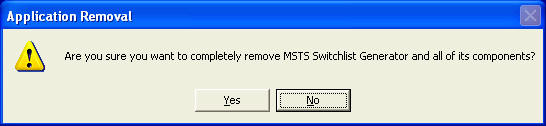
- When asked "Are you sure you want to completely remove MSTS Switchlist
Generator and all of its components" click on "Yes".
- Click here to download the Activity Generator
Update (as a .zip file)
- First unzip the file you downloaded. You will need your original
install password to unzip this file.
- Inside that file will be an install program, "setup.exe".
Double-click it to run it.
- This will guide you through the install process.
- This ALSO includes the latest version of Version 1, 1.0.6, now called "SwitchList
Generator Classic".
- If you accept the defaults, the installer will create a program group on
your Start Menu called "MSTS Activity Generator". On that menu
will be the new Activity Generator Manual, the MSTS Activity Generator program
(this latest version) and "Switchlist Generator Classic (Version 1) to allow
you to run older templates without problems. Your start menu should look
similar to the example below:
